













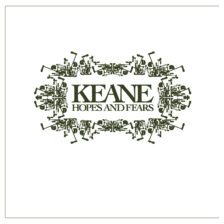
There was something in the water in 2004. Not every year delivers even one classic debut album; 2004 was serving them up like it was going out of style. Hot Fuss; Franz Ferdinand; Funeral; Bows + Arrows; The College Dropout. Not all of those albums have aged well, but they all left an indelible mark on music, and most of them delivered at least one iconic hit – the kind of deathless single that will live on forever and ever on wedding dancefloor playlists or supermarket sound systems. I have, at one time or another, loved all of those albums. But in 2004 proper, if you’d have asked me which brand-new artist I was most excited to follow over the course of their career, I would have answered Keane, and I’d have done it without hesitation.
Keane were never going to be cool. They were pitched as the heirs apparent to Coldplay, which is probably a pretty big “strike one” for most tastemakers. They also made big, grandiose soft rock that wore its heart on its sleeve; there was no wit or irony here, just uber-emotional songs about unrequited love and the pains of growing up. Probably fair to call that strike two. And perhaps least cool of all, Keane were a rock band with no guitars. Even Coldplay, as wussy as their reputation would suggest they were, still had songs with Big Ass Guitars. Keane were a three-piece with a singer, a drummer, and a keyboardist, and the pianos were front and center in every single song. Do I even need to say it? Strike three; get outta here!
Read More “Keane – Hopes & Fears”